
Comparison
Best AI 3D tools for Roblox pets & props (2026)
AI 3D tools for Roblox pets, ranked for 2026: Proppo, Meshy, Nilo, Tripo, Roblox Assistant (Cube), UEFN Central, Rodin and 3D AI Studio, with prices.
Updated 6 min readBy the Proppo team
On this page
Quick answer
The best AI 3D tool for Roblox pets depends on the job. Proppo, our own product, is built for rigged pets, eggs and rarity sets at Roblox triangle budgets. Meshy, Nilo and Tripo are strong general generators you finish yourself, and Roblox's free Cube-based Assistant is quickest for static props and placeholders inside Studio.
Key takeaways
- For rigged simulator pets and eggs, Proppo (our own product) ranks first because it adds Roblox budgets, creature rigs and rarity sets after generation.
- Meshy and Tripo are strong general generators for props and characters; you do the Roblox-specific cleanup yourself.
- Roblox's Assistant (Cube) is free inside Studio and caps meshes at 10,000 triangles by default, but its docs cover static meshes only.
- Every tool has to meet Roblox's limit of 20,000 triangles per mesh, and a pet should be closer to 4,000.
- Prices change monthly in this market: the figures here are as of October 2026, and each tool's own site is the final word.
AI 3D generation has become a normal part of making Roblox games. There are more tools than anyone has time to test, and Roblox ships its own generator inside Studio. This guide ranks the ones Roblox creators ask about most for pets and props, what each is good at, and how to choose.
Which AI tool is best for Roblox pets?
For rigged pets, eggs and rarity sets, Proppo, because it handles the Roblox steps after generation. For static props and general characters Meshy or Tripo, and for free placeholders inside Studio, Roblox's Assistant.
1. Proppo
- Best for
- Pets, eggs and props with Roblox budgets, creature rigs and rarity sets
- For Roblox pets
- Per-type triangle budget, stud scale, pivot, non-humanoid auto-rig, rarity set
- Price (from)
- Free to start; plans from $9.99 a month
2. Meshy
- Best for
- Polished general text and image to 3D, texturing and animation
- For Roblox pets
- Rigging for humanoids and quadrupeds; Bridge to Roblox for static models
- Price (from)
- 100 free credits a month (CC BY 4.0); Pro €19 a month
3. Nilo
- Best for
- Roblox-optimized models and avatars, one-click rigging, text-to-motion animation
- For Roblox pets
- Rig and LOD slider; its site doesn't say which pet body types the rig supports
- Price (from)
- Free Starter (weekly limit); Builder $14.99 a month (promo, list $29.99)
4. Tripo
- Best for
- Fast generation with low-poly options and auto-rigging
- For Roblox pets
- Low-poly modes help budgets; check the free-tier license
- Price (from)
- Free tier; paid plans about $12–25 a month (third-party listings)
5. Roblox Assistant (Cube)
- Best for
- Free meshes and placeholders generated right inside Studio
- For Roblox pets
- Static meshes only in the docs; triangle cap you can set
- Price (from)
- Free inside Studio
6. UEFN Central Pet Generator
- Best for
- Text-to-pet models as FBX for Roblox Studio
- For Roblox pets
- A separate Animation Generator rigs quadrupeds; no triangle numbers, stud scale or rarity sets listed
- Price (from)
- Plans from $19.99 a month
7. Rodin (Hyper3D)
- Best for
- Detailed, high-fidelity hero assets
- For Roblox pets
- Heavy meshes need reducing for a pet budget
- Price (from)
- Pay for results you keep; Creator $30 a month
8. 3D AI Studio
- Best for
- Several generation models behind one account
- For Roblox pets
- Remesh and LOD tools; rigging non-humanoid pets is up to you
- Price (from)
- Credit plans or one-time packs from $34
Ranked for rigged simulator pets and eggs, as of October 2026. Proppo is our own product. Prices in general terms from each tool's pricing page (Tripo's from third-party listings); check each site before you buy.
What should you check in an AI 3D tool for Roblox?
Five things: the triangle count, a single material with clean UVs, scale and pivot, rigging for your kind of creature, and the license. A model that looks great in a web viewer can still be a pain in a Roblox game.
- Triangles. Roblox caps a mesh at 20,000 triangles, and pet games want far fewer. Can the tool generate low-poly, or reduce the mesh well?
- One material, clean UVs. Roblox gives each MeshPart one material, so the texture should come as a single atlas.
- Scale and pivot. Does the model arrive at a sensible size in studs, standing on the ground?
- Rigging. Many auto-riggers target humanoids. Pets are fish, dragons and blobs. Check that your kind of creature is supported.
- License. On several free tiers in this market, models are public or limited to non-commercial use. Read the terms before you ship, and see what Roblox allows for AI-made models.
How much do AI 3D tools for Roblox cost?
Roblox's Assistant is free inside Studio. The standalone tools have free tiers with limits on volume, downloads or licensing, and paid plans that start between roughly $10 and $35 a month.
Roblox Assistant (Cube)
- Free tier
- Free inside Studio
- Paid from
- —
- Credits roll over
- —
Meshy
- Free tier
- 100 credits a month, models under CC BY 4.0
- Paid from
- Pro, €19 a month
- Credits roll over
- Free credits reset each month
Nilo
- Free tier
- Starter, limited weekly usage
- Paid from
- Builder, $14.99 a month (promo; list $29.99)
- Credits roll over
- Weekly usage, not credits
Tripo
- Free tier
- About 200–300 credits a month, public and non-commercial (third-party listings)
- Paid from
- About $12–25 a month depending on billing (third-party listings)
- Credits roll over
- Not stated
UEFN Central Pet Generator
- Free tier
- None listed for the pet generator
- Paid from
- $19.99 a month
- Credits roll over
- Not stated
Rodin (Hyper3D)
- Free tier
- Pay only for results you keep
- Paid from
- Creator, $30 a month ($24 a month billed yearly)
- Credits roll over
- Not stated
3D AI Studio
- Free tier
- Sign-up credits (amount not stated)
- Paid from
- Subscriptions, or one-time packs from $34
- Credits roll over
- One-time packs never expire
Proppo
- Free tier
- 60 sign-up credits + 20 a month
- Paid from
- Starter, $9.99 a month
- Credits roll over
- Yes, unused credits carry over
As of October 2026, from each tool's pricing page; Tripo's own page didn't load, so its figures come from third-party listings. Prices change often, so check each site before you buy.
Is Roblox Assistant (Cube) good for making pets?
For static placeholder pets and props, yes: it is free and already in Studio. It doesn't rig or animate, so pets that walk or fly need another tool.
Roblox's own generator is built on Cube, the 3D foundation model Roblox open-sourced in 2025. In Studio, the Assistant can generate a textured mesh from a text prompt or a reference image. You can set a maximum triangle count (the Assistant docs list a default of 10,000, and Roblox's DevForum post suggests a few hundred to 1,000 for small or low-poly objects), and if you select a Part first, the mesh is sized to fit it. For in-game generation, Roblox also offers an API that lets players generate objects inside an experience (in beta since February 2026).
Good at: speed and convenience. Nothing beats generating a rock, a crate or a sign in place while you build a map.
Keep in mind: the docs focus on static meshes. For a rigged pet with a walk loop, or a set of rarity variants, you will still need other tools.
Is Meshy good for Roblox?
Yes, for general props and humanoid or four-legged characters: it is polished and exports FBX and GLB. The Roblox-specific steps, such as a per-pet triangle budget, stud scale and pivot, are mostly up to you.
Meshy is a widely used, general-purpose AI 3D generator. It covers text to 3D, image to 3D, AI texturing, remeshing, and an auto-rigger with a library of ready-made animations for humanoid and quadruped characters (20 motions on the Free plan and over 500 on paid plans, per Meshy's pricing page). It exports common formats (FBX, GLB, OBJ and more) and publishes its own Roblox workflow tutorial. Its Bridge to Roblox (Pro plan and up, as of October 2026) uploads a model from the web app straight to your Roblox inventory, so you can drop it in from the Toolbox without a file import. Meshy's docs say it can't send rigged or animated models (Bridge to Roblox docs), so those still go through a file export.
Good at: broad, polished tooling and character animation. Pricing: a free tier with monthly credits, then credit-based subscriptions. Keep in mind: it is a general tool, so the Roblox-specific steps (triangle budget per asset, stud scale, pivot) are mostly up to you.
Is Nilo good for Roblox?
Yes, for Roblox avatars, skins and animated characters: it markets its models as Roblox-optimized, with one-click rigging and animation from a text prompt. Its site doesn't list triangle numbers or which pet body types the rig handles.
Nilo is an AI 3D tool aimed at game creators, Roblox ones especially. It generates models, rigs them in one click, makes animations from a text prompt and has a level-of-detail slider for the polycount. Its pricing is based on weekly usage rather than credits, with a free Starter plan.
Good at: characters, avatar skins and custom animation. Keep in mind: for a pet simulator you still set the triangle budget per pet and make the gold or rainbow versions yourself.
Is Tripo good for Roblox?
Yes, especially for quick iterations: its low-poly options suit Roblox budgets. Check the free-tier license before you use models commercially.
Tripo offers fast text and image to 3D, with model options aimed at lightweight, low-poly output, plus auto-rigging and stylization tools. The low-poly focus is useful for Roblox, where small meshes matter more than film-grade detail.
Good at: quick iterations and lighter meshes. Pricing: a free tier with monthly credits and credit-based subscriptions. Keep in mind: check the free-tier license if you plan to use models commercially.
Is UEFN Central's pet generator good for Roblox?
It is one of the few generators made for Roblox pets: describe a pet and download an FBX for Studio. Rigging and animation run in a separate tool, and it lists no stud scale, triangle numbers, eggs or rarity sets.
The UEFN Central pet generator turns a text description (dogs, cats, dragons, fantasy creatures) into a textured model with “game-optimized” polygon counts. Its Animation Generator can then auto-rig quadrupeds and creatures with idle and walk loops. Plans start at $19.99 a month.
Good at: quick text-to-pet models. Keep in mind: check the triangle count and scale on import, and make rarity versions yourself.
Is Rodin (Hyper3D) good for Roblox?
For detailed hero assets, yes, but its meshes need reducing before they fit a pet budget, and the extra detail is mostly invisible at pet size.
Rodin, from Hyper3D, is known for detailed, high-fidelity generations. Its free tier works on a pay-for-what-you-keep basis: you can generate, look at the result, and only pay for the models you want. Paid plans add more volume.
Good at: detailed hero assets and realistic shapes. Keep in mind: detailed meshes need reducing before they fit a Roblox pet budget, and the extra detail is often invisible at pet size.
What is 3D AI Studio good for?
Trying several generation models from one account, with texturing, remeshing and LOD tools included. Roblox setup such as rigging non-humanoid pets is left to you.
3D AI Studio puts several generation models behind one account, with texturing, remeshing and LOD tools included. It sells credit subscriptions as well as one-time credit packs, which is handy if you only need models now and then.
Good at: trying different models without juggling accounts. Keep in mind: like the other general tools, Roblox setup such as rigging non-humanoid pets is left to you.
What does Proppo do differently?
It runs a Roblox pipeline after generation: a triangle budget per asset type, stud scale and pivot, an auto-rig for non-humanoid pets and a rarity set on the same mesh. It is narrower than the general tools on purpose.
Proppo is the tool we make, and it is narrower than the others on purpose: Roblox game assets, especially pets and eggs. What sets it apart is the Roblox pipeline that runs after generation:
- A triangle and texture budget per asset type (for example 4,000 triangles for a pet, 1,500 for an egg), stud scale and a bottom-center pivot.
- Our own auto-rig with templates for two- and four-legged pets and for other body types (fish, bird / flyer, snake / worm, jelly / squid), each with an Idle and a move loop at 30 fps.
- Rarity sets (gold, rainbow, shadow and more) on the same mesh and rig.
- A Roblox pack: FBX with textures and a short import note.
Pricing: free to start, with 60 credits when you confirm your email and 20 more every month, then credit-based plans. Keep in mind: it is not built for avatar UGC items or film-quality assets, and models go into Studio through Studio's importer, not a direct upload to your inventory.
Which AI 3D tool should you use for your Roblox game?
Match the tool to the job: the Assistant for blocking out a map, a general generator for props and humanoid characters, and a pet-focused tool for simulator pets with rigs and rarity variants.
- Blocking out a map: Roblox Assistant, right in Studio.
- General props and humanoid characters: Meshy, Tripo or Rodin. Try the same prompt in two of them and keep the one whose style suits your game.
- Avatars, skins and custom character animation: Nilo or Meshy.
- Comparing many models at once: 3D AI Studio.
- Simulator pets and eggs with rigs and rarity variants: that is the job Proppo was built for.
Plenty of teams combine tools. Whatever you pick, the last mile is the same: check the triangle and texture budget and import it with the right settings.
Frequently asked questions
Is there a free AI 3D model generator for Roblox?
Can I use AI-generated 3D models in my Roblox game?
Which AI tool is best for Roblox pets?
What is a good Meshy alternative for Roblox?
Is there an AI pet generator for Roblox?
Try a Roblox-first AI pipeline
Upload a drawing or describe a pet. Proppo makes the model, sizes it for Roblox, rigs it and makes the rarity set.
60 free credits when you confirm your email. No card needed.
Related guides
All guides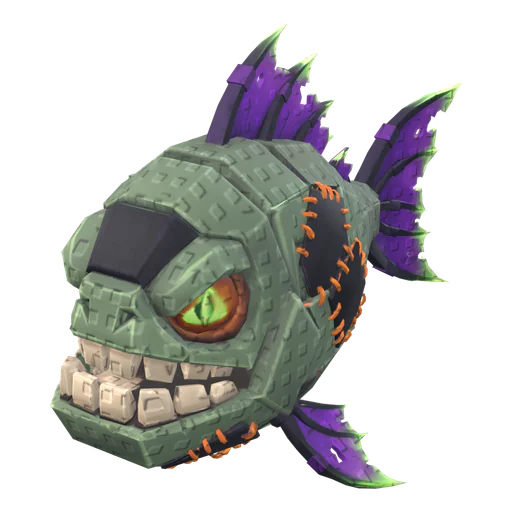 Tutorial
Tutorial
How to make an AI 3D model work in Roblox (Meshy, Tripo, Blender)
Why raw AI meshes fail in Roblox, and the Blender steps that fix triangles, textures, scale, pivot and rigs.
9 min readUpdated October 31, 2026Read
 Tutorial
Tutorial
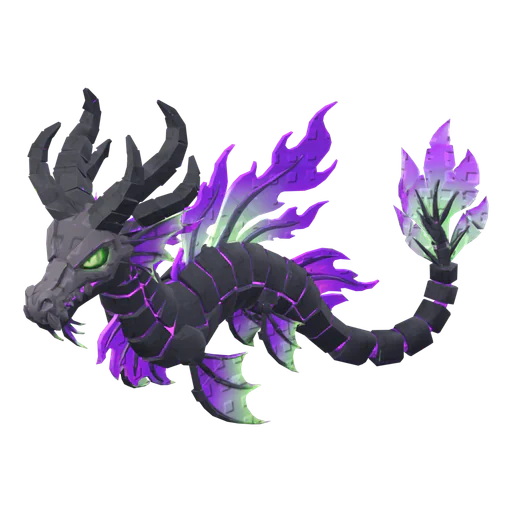
How to make a Roblox pet with AI (step by step)
Concept, 3D model, rig, rarity set and import: the whole pet pipeline in one walkthrough.
6 min readUpdated October 31, 2026Read
 Tutorial
Tutorial
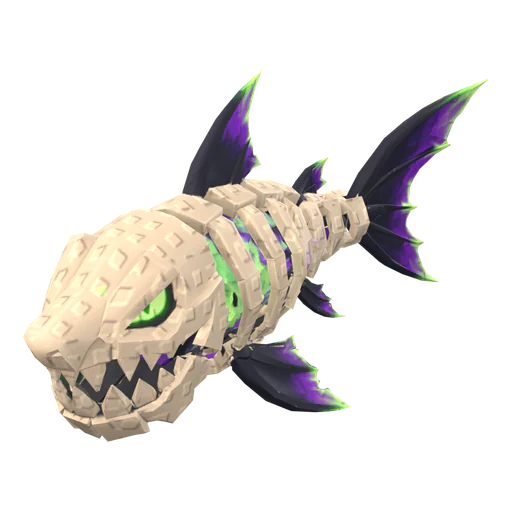
How to import a 3D model into Roblox Studio (FBX, textures, rigs)
3D Importer settings that matter, rigs and animations, textures and the usual import errors.
7 min readUpdated October 31, 2026Read
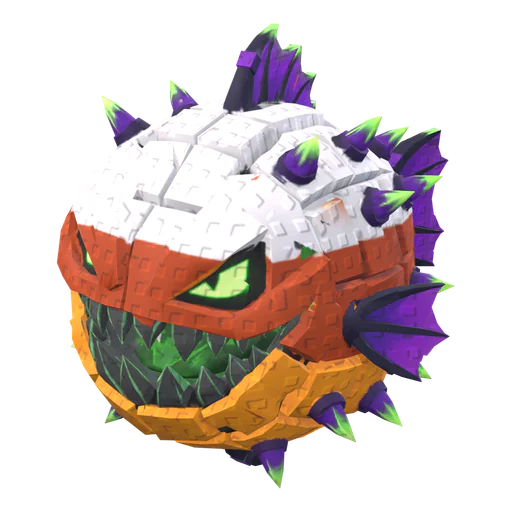 Reference
Reference
Roblox triangle and texture limits for mobile-friendly pets
The hard limits, the budgets pet games actually use, and how to hit them without losing the silhouette.
5 min readUpdated October 31, 2026Read