
Reference
Roblox triangle and texture limits for mobile-friendly pets
Roblox's hard mesh and texture limits, and the smaller budgets that keep pet games smooth on phones: triangles per pet and egg, texture sizes, LOD, collisions.
Updated 5 min readBy the Proppo team
On this page
Quick answer
Roblox allows up to 20,000 triangles per mesh and renders textures up to 4096 px, but mobile-friendly pets should be far lighter: about 2,000 to 4,000 triangles per pet, around 1,500 per egg and a 512 px texture. Leave RenderFidelity on Automatic for distance LOD and give pets that follow players Box or Hull collisions.
Key takeaways
- Roblox's hard limit is 20,000 triangles per mesh, and each MeshPart has exactly one material.
- Pets that appear in groups should use about 2,000 to 4,000 triangles each, and eggs about 1,500.
- Roblox renders textures up to 4096 px, but a 512 px texture is plenty for a 3-stud pet.
- With RenderFidelity on Automatic, Roblox lowers mesh detail beyond 250 and 500 studs, so you rarely need your own LODs.
- 8 players with 3 pets out each means 24 pets on screen, so the per-pet budget matters more than the per-mesh limit.
Roblox will happily import a 20,000-triangle pet with a 4K texture. Your players' phones will be less happy, especially when a full server walks around with their pets out. This guide separates the hard limits Roblox enforces from the budgets that keep a pet game smooth on mobile, and shows how to hit them without your pets turning into blobs.
What is the triangle limit in Roblox?
Roblox allows up to 20,000 triangles per mesh (one MeshPart), and a MeshPart has one material. Rigged meshes allow at most 4 bone influences per vertex, and all geometry must be watertight, per Roblox's modeling specifications.
Triangles per mesh
- Limit
- 20,000
- Notes
- Per MeshPart. Split bigger models into parts.
Materials per mesh
- Limit
- 1
- Notes
- A multi-material file imports as several MeshParts.
Texture size
- Limit
- 4096 × 4096
- Notes
- Roblox added 4K texture rendering in 2026; parts of the docs still mention 1024.
Bone influences
- Limit
- 4 per vertex
- Notes
- For rigged (skinned) meshes.
Geometry
- Limit
- Watertight
- Notes
- No open holes or zero-thickness surfaces.
From Roblox's modeling specifications and texture specifications on the Creator Hub.
Rigs also have a combined limit across all their skinned meshes, which the importer reports when you go over it. A single-mesh pet runs into the 20,000-per-mesh limit long before that.
Why do Roblox pets need a smaller triangle budget?
Because the limit applies to one mesh, but players feel the total on screen, and pet games show dozens of pets at once. Most of a dense sculpt's triangles are invisible at pet size and still cost frame rate on phones.
Say 8 players in view each have 3 pets out: that is 24 pets. At the 20,000 limit that would be 480,000 triangles of pets alone. At 4,000 per pet it is 96,000, and on a 2,000-triangle mobile budget 48,000. That is before the map, the players' avatars and the effects.
Pets are also small on screen. A 3-stud pet seen from a normal gameplay camera fills a small part of a phone screen, so most of the extra triangles of a dense sculpt are invisible. They cost frame rate anyway.
How many triangles should a Roblox pet have?
About 2,000 to 4,000 triangles with a 512 px texture, and about 1,500 for an egg. Props and characters seen up close can go higher.
These are the presets Proppo uses. They work as a starting point in any tool:
| Preset | Triangles | Texture | Height |
|---|---|---|---|
| Pet (mobile) | 2,000 | 512 px | 3 studs |
| Pet | 4,000 | 512 px | 3 studs |
| Egg | 1,500 | 512 px | 3.5 studs |
| Item | 3,000 | 512 px | 2 studs |
| Prop | 6,000 | 1024 px | 4 studs |
| Character | 10,000 | 1024 px | 5 studs |
| Max detail | 20,000 | 1024 px | 4 studs |
Eggs are symmetric and spawn in large numbers, so they get the smallest budget. Props and characters are seen up close.
How do you cut triangles without losing the look?
Spend triangles on the silhouette, delete faces nobody sees, let the texture carry small detail, and judge the result from the game camera instead of a close-up.
- Protect the silhouette. Players recognize a pet by its outline: wings, ears, tail. Spend triangles there, and save them on flat areas such as the belly or the back.
- Delete what no one sees. Interior faces, the inside of the mouth and the underside of a sitting pet.
- Let the texture carry the detail. Scales, fur and small spikes look fine painted on, or in a normal map.
- Decimate, then check from the game camera. A pet that looks rough in a close-up turnaround often looks perfect at gameplay distance.
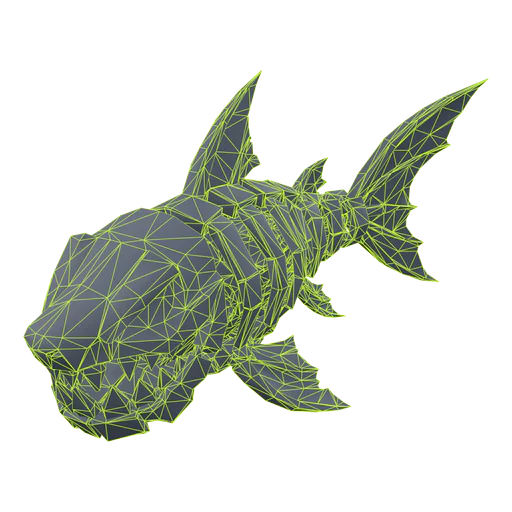
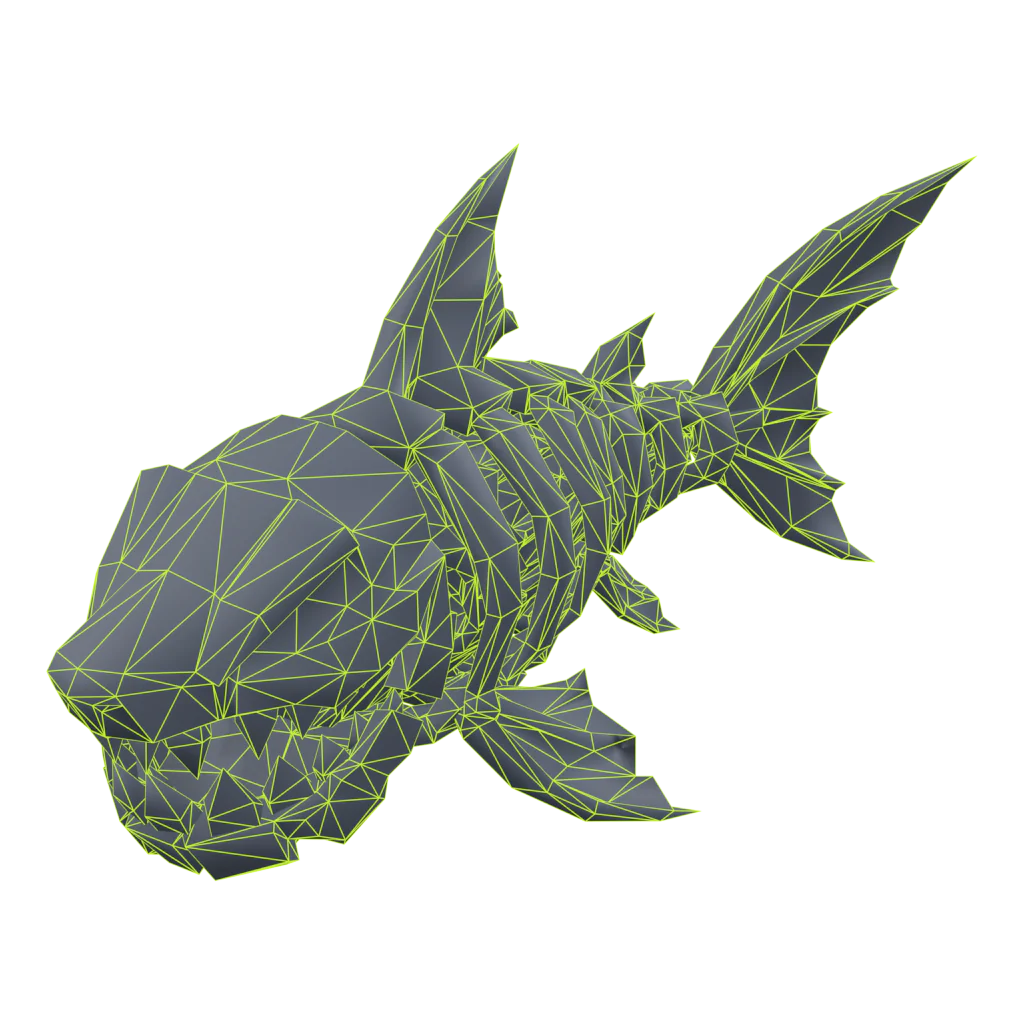
Above: the Bone Shark from our homepage straight out of the generator, and after Proppo's Roblox optimize at the pet preset. That is 51% fewer triangles with the same silhouette.
What texture size should a Roblox pet use?
512 px is a good default for a pet or egg. Roblox renders up to 4096 px, but its texture specifications suggest 256 px for a 5 × 5 stud object, 512 px for 10 × 10 and 1024 px for 20 × 20.
Roblox also serves lower-resolution versions to devices with little memory, so bigger is not better for small assets. (The same docs page still mentions 1024 px in its UV section; 4096 px is the newer figure.)
256 px
- Raw size in memory
- 0.25 MB
- Good for
- Small items, background pets, crowds
512 px
- Raw size in memory
- 1 MB
- Good for
- Pets and eggs that players look at in menus and hatch animations
1024 px
- Raw size in memory
- 4 MB
- Good for
- Props, furniture and characters seen up close
4096 px
- Raw size in memory
- 64 MB
- Good for
- Large hero assets only
Raw RGBA size of one square texture, before compression. Each extra PBR map (normal, roughness, metalness) adds to it.
Proppo defaults to 512 px for pets and eggs and 1024 px for props. That is above Roblox's guideline for a 3-stud pet, on purpose: pets get close-ups in inventories and hatch animations. If your game shows big crowds of the same pet, 256 px is a fair trade. Whatever size you pick, use a single texture atlas per model and square, power-of-two sizes.
Do Roblox pets need LODs, special collisions or rigs?
You don't need LOD meshes, because Roblox lowers detail by distance itself. You do want cheap Box or Hull collisions, and bones only on the pets whose body movement players will notice.
Level of detail
With RenderFidelity on Automatic, Roblox draws a mesh at full detail within 250 studs of the camera, at medium detail from 250 to 500 studs and at the lowest detail beyond that (RenderFidelity reference).
Collisions
Collision shapes cost performance too. Set CollisionFidelity to Box for small pets and items, or Hull if the shape matters, and turn CanCollide off for pets that follow the player. Keep the precise options for things players stand on.
Rigged or static?
Skinned (rigged) meshes cost more to draw than static ones. Many pet games animate pets with simple scripted motion, a bob, a tilt or a hop, instead of bones. Rig the pets where real body movement matters, such as legendary or showcase pets, and keep the crowd static. Our AI pet guide covers the rigging step.
What should you check before shipping pets to mobile?
Triangles per pet, one material and atlas, texture size, fidelity and collision settings, and a test on a real phone:
- Pets around 2,000 to 4,000 triangles, eggs around 1,500, nothing near 20,000.
- One mesh, one material and one texture atlas per model.
- 512 px textures for pets (256 px for crowds), 1024 px for props.
- RenderFidelity on Automatic; Box or Hull collisions; CanCollide off for followers.
- Test with the real number of pets on screen, on a real phone.
Next: import the model into Roblox Studio with the right scale and pivot.
Frequently asked questions
What is the triangle limit in Roblox?
How many triangles should a Roblox pet have?
What texture size should I use for Roblox?
Do I need to make LODs for Roblox?
Pets that stay light on phones
Every Proppo export is reduced to a per-type triangle budget with a capped texture, so you can drop it into a crowded server.
60 free credits when you confirm your email. No card needed.
Related guides
All guides Reference
Reference
Roblox pet model specs: size, poly count and Studio settings
One spec sheet: studs, triangles, textures, bones, fps, the properties to set and common bug fixes.
7 min readUpdated October 31, 2026Read
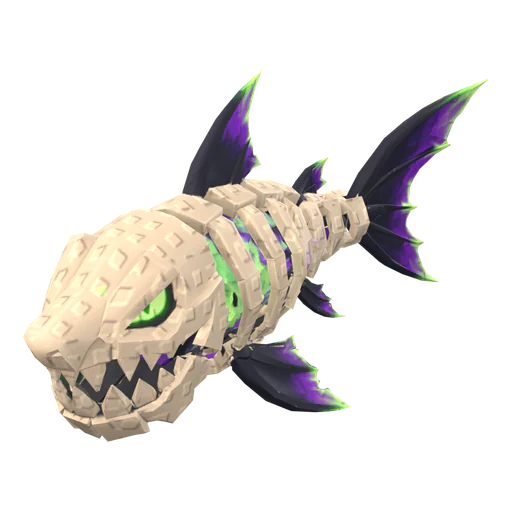 Tutorial
Tutorial
How to import a 3D model into Roblox Studio (FBX, textures, rigs)
3D Importer settings that matter, rigs and animations, textures and the usual import errors.
7 min readUpdated October 31, 2026Read
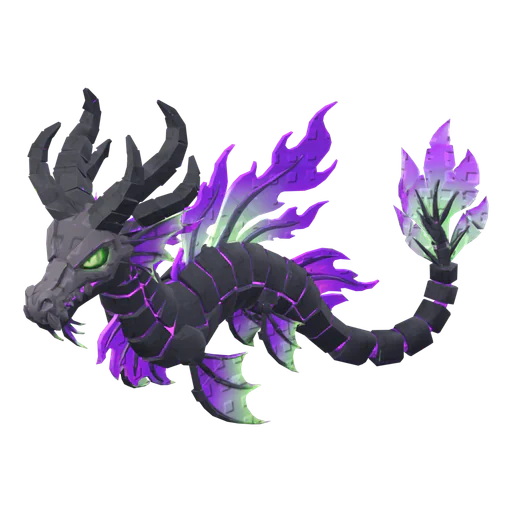 Tutorial
Tutorial
How to make a Roblox pet with AI (step by step)
Concept, 3D model, rig, rarity set and import: the whole pet pipeline in one walkthrough.
6 min readUpdated October 31, 2026Read
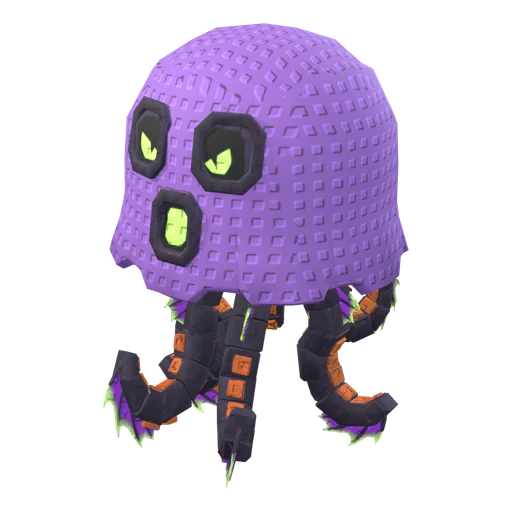 Comparison
Comparison
Best AI 3D tools for Roblox pets & props (2026)
A ranked table of Proppo, Meshy, Nilo, Tripo, Roblox Cube, UEFN Central, Rodin and 3D AI Studio for pets, eggs and props.
6 min readUpdated October 31, 2026Read