
Reference
Roblox pet model specs: size, poly count and Studio settings
Roblox pet model specs: size in studs, triangle and texture budgets, bones and fps, the Studio properties to set, and fixes for pets that fall or float.
Updated 7 min readBy the Proppo team
On this page
Quick answer
A Roblox pet should be about 3 studs tall with 2,000 to 4,000 triangles, one material and one 512 px texture, well under the 20,000-triangle limit per mesh. Set a PrimaryPart and a bottom-center pivot, turn CanCollide, CanTouch and CanQuery off, use Box or Hull collisions and keep RenderFidelity on Automatic.
Key takeaways
- A pet: about 3 studs tall, 2,000 to 4,000 triangles, one 512 px texture, one material.
- Hard limits: 20,000 triangles per mesh, 4 bone influences per vertex, textures up to 4096 px.
- Rigged pets: up to 24 bones and 2-second loops at 30 fps is plenty (Proppo's defaults).
- Followers: CanCollide, CanTouch and CanQuery off, Box or Hull collisions, RenderFidelity Automatic, pivot at the bottom center.
- Most bugs (falling through the floor, wrong size, floating) come from Anchored, the import unit or the pivot.
This is the reference sheet for a Roblox pet model: how big, how many triangles, what texture size, how many bones, and which Studio properties to set so it follows the player without bugs. Roblox publishes hard limits, not pet budgets, so we mark which numbers are official and which are our presets. The reasoning behind the budgets is in triangle and texture limits for mobile.
What size and poly count should a Roblox pet be?
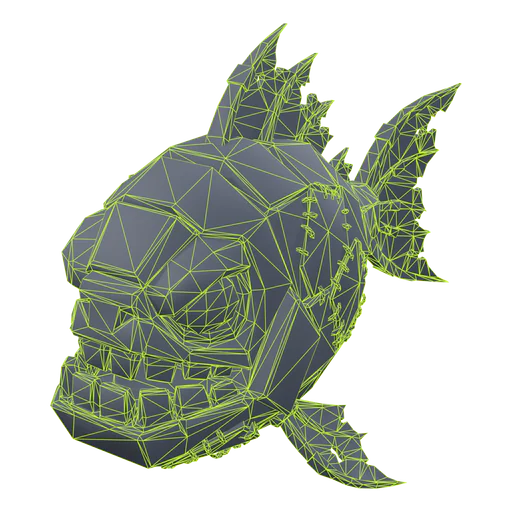
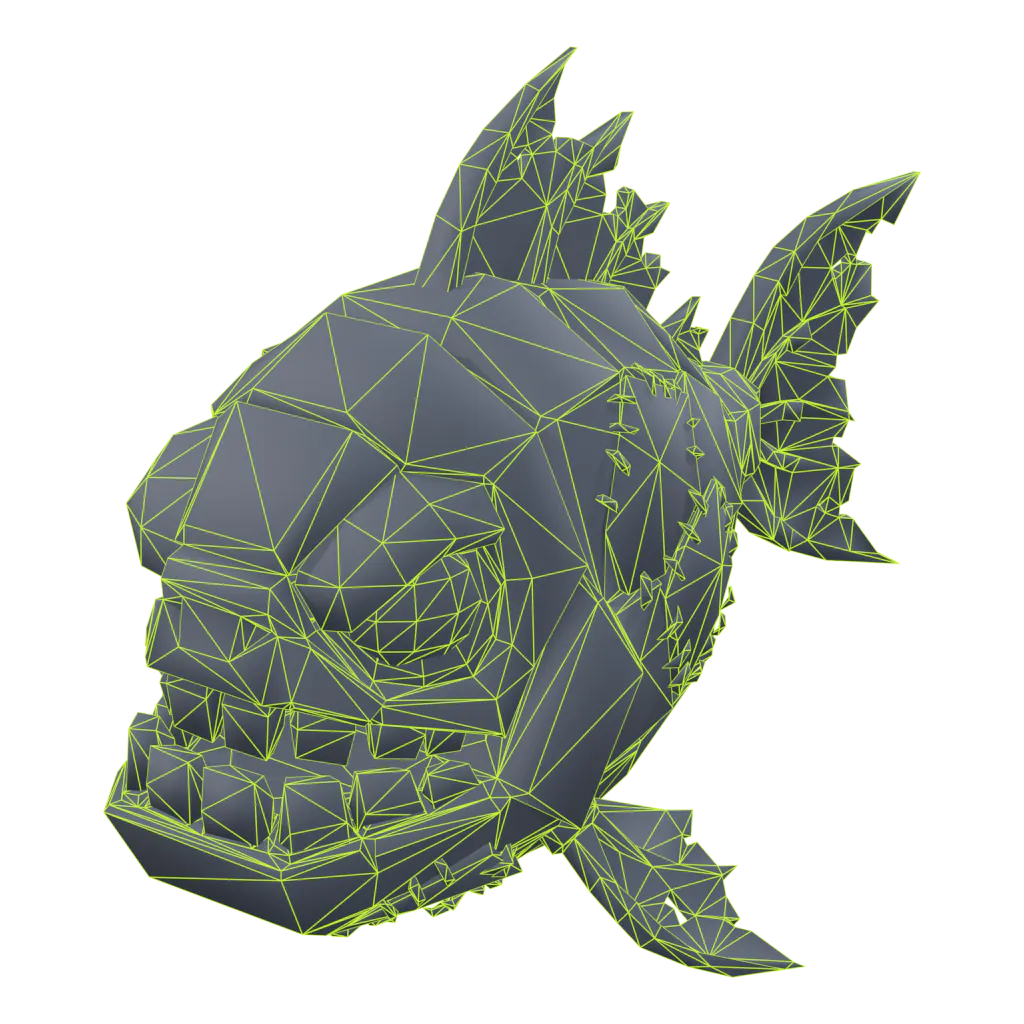
Make a pet about 3 studs tall with 2,000 to 4,000 triangles and one 512 px texture. Roblox allows up to 20,000 triangles per mesh, but pet games show dozens of pets at once, so a light pet matters more than a detailed one.
Pet (mobile)
- Triangles
- 2,000
- Texture
- 512 px
- Height
- 3 studs
- Bones
- Up to 24, or none
- Animation
- 30 fps loops, or scripted bob
Pet
- Triangles
- 4,000
- Texture
- 512 px
- Height
- 3 studs
- Bones
- Up to 24
- Animation
- Idle + move, 2 s at 30 fps
Egg
- Triangles
- 1,500
- Texture
- 512 px
- Height
- 3.5 studs
- Bones
- None, or root + body
- Animation
- Scripted wobble or a bounce loop
Item
- Triangles
- 3,000
- Texture
- 512 px
- Height
- 2 studs
- Bones
- None
- Animation
- None
Prop
- Triangles
- 6,000
- Texture
- 1024 px
- Height
- 4 studs
- Bones
- None
- Animation
- None
Character
- Triangles
- 10,000
- Texture
- 1024 px
- Height
- 5 studs
- Bones
- R15 or custom rig
- Animation
- 30 fps
Proppo's presets and rig defaults: our budgets for phones, not Roblox rules. Huge variants reuse the pet's mesh and are scaled in game.
For scale: a default Roblox avatar is about 5 studs tall, so a 3-stud pet comes up to roughly the player's waist or chest. Roblox's own texture specifications suggest 256 px for objects of about 5 × 5 studs, 512 px for 10 × 10 and 1024 px for 20 × 20. We go one step above that for pets (512 px), because they get close-ups in inventories and hatch animations. Eggs get the smallest budget (1,500 triangles): they are simple shapes and spawn in large numbers. Glossary: stud, triangle budget, texture atlas.
What are Roblox's hard limits for pet meshes?
20,000 triangles per mesh, one material per MeshPart, 4 bone influences per vertex, and textures up to 4096 px. Rigs also have a combined triangle cap across their meshes.
Triangles per mesh
- Value
- 20,000
- Source
- Modeling specifications
Bone influences per vertex
- Value
- 4
- Source
- Modeling specifications
Root bone
- Value
- At the origin, no weights
- Source
- Modeling specifications
Bone transforms
- Value
- Frozen: scale 1, rotation 0
- Source
- Modeling specifications
Geometry
- Value
- Watertight, no exposed holes
- Source
- Modeling specifications
Texture size
- Value
- Up to 4096 × 4096
- Source
- Texture specifications
Triangles per rig
- Value
- 50,000
Parts of Roblox's texture page still mention 1024 px for texture maps; 4096 px rendering arrived in 2026.
Which properties should a pet model have in Studio?
Set a PrimaryPart, put the pivot at the bottom center, turn CanCollide, CanTouch and CanQuery off, use Box or Hull collisions and keep RenderFidelity on Automatic. Anchor it if your script moves it by CFrame.
PrimaryPart- Set to
- The pet's main body part
- Why
- Per the Model reference, it is the physical reference for the model's pivot; follow scripts move the pet through it.
Pivot
- Set to
- Bottom center
- Why
- The pet sits on the ground when placed, and Model:ScaleTo scales around it, so huge pets stay grounded.
Anchored- Set to
- On if moved by CFrame or PivotTo
- Why
- Anchored parts ignore physics but can still be moved by setting CFrame. Use Off only with physics constraints such as AlignPosition.
CanCollide- Set to
- Off
- Why
- Followers should never push the player or block doors.
CanTouch- Set to
- Off (unless it detects hits)
- Why
- Touched events don't fire, which saves work for every pet.
CanQuery- Set to
- Off
- Why
- Raycasts ignore the pet. Only takes effect when CanCollide is off.
Massless- Set to
- On, if welded to the character
- Why
- The pet won't weigh the player down. Has no effect on the assembly's root part.
CollisionFidelity- Set to
- Box or Hull
- Why
- Cheapest hitboxes. Precise decomposition is for things players stand on.
RenderFidelity- Set to
- Automatic
- Why
- Full detail under 250 studs, lower detail further away. Precise only for showcase pets.
ModelStreamingMode- Set to
- Atomic
- Why
- The pet streams in as one piece, so scripts never see half a pet.
Material and texture
- Set to
- One SurfaceAppearance
- Why
- One material and one texture atlas per MeshPart.
From the Roblox reference pages for BasePart, Model, CollisionFidelity, RenderFidelity and ModelStreamingMode.
For a rigged pet, anchor only the PrimaryPart and let the bones animate. Glossary: PrimaryPart, pivot, CollisionFidelity, RenderFidelity, network ownership.
Why does my pet fall through the floor, look blocky or come in at the wrong size?
Falling is almost always an unanchored pet with collisions off; blocky looks come from distance detail, over-reduction or a low texture on weak devices; a wrong size comes from the import unit. Fixes for each:
The pet falls through the floor
It is unanchored, CanCollide is off and nothing holds it up, so gravity wins. Either anchor it and move it with PivotTo or CFrame, or keep it unanchored and hold it with AlignPosition and AlignOrientation (with the owning player as network owner). If you weld it to the character instead, make every pet part Massless.
It looks blocky or low-poly in game
Check three things. RenderFidelity: Performance or a camera further than 250 studs lowers the detail. Over-reduction: decimating below the budget eats the silhouette first, so spend triangles on wings, ears and tails. Textures: Roblox loads lower-quality textures on devices with little memory, so a texture that only looks good at full size will blur on phones.
It comes in huge or tiny
The file's units don't match. Model in studs (1 unit = 1 stud) and import with Scale Unit set to Studs. For a quick fix on a static pet, use Model:ScaleTo; for rigged pets, fix the size at the source so the rig and animations match.
It floats or sinks into the ground
The pivot is not at the bottom center. Move the origin in your 3D tool and re-export with Use Imported Pivot on, or edit the pivot in Studio. If your follow script adds a hover height, multiply it by pet:GetScale() for huge pets.
It pushes or flings the player
CanCollide is on, or a heavy welded pet adds mass to the character. Turn CanCollide off and set Massless on the pet's parts.
It stutters while following
A server moving pets by CFrame can look choppy on clients. Common fixes: move the pets on each client (the server only decides which pets are out), or use constraints with the owning player as network owner.
It is grey or untextured
The texture didn't come through the import. Add a SurfaceAppearance to the MeshPart and set its ColorMap. The Studio import guide covers this and other import errors.
What should you check before shipping a pet?
Run through this list for every pet in an egg:
- 2,000 to 4,000 triangles; nothing near 20,000.
- One mesh, one material, one 512 px texture atlas.
- About 3 studs tall, pivot at the bottom center, PrimaryPart set.
- If rigged: at most 4 influences per vertex, root bone unweighted at the origin, up to about 24 bones.
- CanCollide, CanTouch and CanQuery off; Box or Hull collisions; RenderFidelity Automatic.
- Anchored if moved by CFrame; Massless if welded to the character.
- Tested with a full server of pets out, on a phone.
Roblox's performance guide is worth a read before launch. For the design side, see how to design pets for a Roblox game; for rigs and clips, how to animate a Roblox pet.
Frequently asked questions
What size should a Roblox pet be?
How many polygons should a Roblox pet have?
Should a Roblox pet be anchored?
Why does my pet fall through the floor in Roblox?
What CollisionFidelity should a pet use?
How many bones should a pet rig have?
Pets that match the spec out of the box
Proppo exports every pet at its triangle and texture budget, in studs, with a bottom-center pivot, ready for Roblox Studio.
60 free credits when you confirm your email. No card needed.
Related guides
All guides Reference
Reference
Roblox triangle and texture limits for mobile-friendly pets
The hard limits, the budgets pet games actually use, and how to hit them without losing the silhouette.
5 min readUpdated October 31, 2026Read
 Tutorial
Tutorial
How to import a 3D model into Roblox Studio (FBX, textures, rigs)
3D Importer settings that matter, rigs and animations, textures and the usual import errors.
7 min readUpdated October 31, 2026Read
 Tutorial
Tutorial
How to make an AI 3D model work in Roblox (Meshy, Tripo, Blender)
Why raw AI meshes fail in Roblox, and the Blender steps that fix triangles, textures, scale, pivot and rigs.
9 min readUpdated October 31, 2026Read
 Tutorial
Tutorial
How to animate a pet in Roblox (idle, walk, fly)
Bones and weights, looping clips, the import and publish steps, and a script that switches idle to walk.
7 min readUpdated October 31, 2026Read