
Game design
How to make a pet simulator game on Roblox
How to make a Roblox pet simulator: the core loop, the systems you need, build order, how many pets to make, art pipeline, monetization and a launch checklist.
Updated 9 min readBy the Proppo team
On this page
Quick answer
Build one loop: players collect currency, hatch eggs for pets, equip pets that multiply income and unlock zones with better eggs, with rebirth for a permanent boost. Code the systems in order: pet data, hatching, saving, equip and follow, multipliers, rebirth, zones. Then make content: roughly zones × eggs per zone × pets per egg models.
Key takeaways
- A pet simulator is one loop: collect currency, hatch eggs for pets, equip pets that multiply income, unlock the next zone.
- Seven systems carry it: pet and egg data, hatching, inventory and saving, equip and follow, multipliers, rebirth and zones.
- Build in that order and ship one complete zone before you add a second; content scales the game, not code.
- Heuristic for content: zones × eggs per zone × pets per egg. 5 zones with one 5-pet egg each is 25 pet models; 3 variants turn that into 75 collectibles.
- Budget each pet at about 4,000 triangles and each egg at about 1,500, because a full server shows dozens at once.
Pet simulators are one of the most recognisable genres on Roblox, and one of the easiest to start: the code is a handful of systems that every game in the genre shares. What separates them is pacing, content and art. This overview lists the systems, the order to build them in, how many pets you need, how to get the art made, the monetization basics and a launch checklist, with links to the step-by-step tutorials for each part. Roblox details are as of October 2026.
What is the core loop of a pet simulator?
Players earn currency, spend it on eggs, hatch pets that multiply how fast they earn, and use the extra income to unlock the next zone with a better egg. Rebirth resets that progress in exchange for a permanent boost, and the loop starts again faster.
Every feature should feed this loop. A new pet matters because it earns more; a new zone matters because it holds a better egg. If a feature doesn't make the loop faster, prettier or more surprising, it can wait until after launch.
Which systems does a pet simulator need?
Seven systems: pet and egg definitions, hatching, inventory with saving, equipping with follow, income multipliers, rebirth and zones. Trading, enchants, quests and leaderboards are common later additions.
Pet and egg definitions
- What it does
- ModuleScript with every pet, its rarity, multiplier and the egg weights
- Tutorial
- Egg rarity tables
Hatching
- What it does
- Server roll with currency check, client animation, odds display
- Tutorial
- Egg hatching system
Inventory and saving
- What it does
- Pets and coins per player in a DataStore
- Tutorial
- Save pets to a DataStore
Equip and follow
- What it does
- Equip limit, pets following the player on every client
- Tutorial
- Pet follow script
Multipliers
- What it does
- Each equipped pet raises income; rarer pets raise it more
- Tutorial
- Multiplier
Rebirth
- What it does
- Reset coins and zones for a permanent multiplier
- Tutorial
- Rebirth
Zones
- What it does
- Areas behind a price, each with a better egg and currency source
- Tutorial
- This guide, step 5
Step 1: Build the core loop
Start with one flat zone, coin piles that players break by clicking or walking over them, and a currency counter. Keep currency on the server: the server checks the player is close enough to a coin pile, adds the coins to their data and writes the total to an attribute the UI reads. Exploiters will try to fire your remotes from anywhere on the map, so every reward needs a server-side check.
Step 2: Add pet data and hatching
Put every pet in one ModuleScript in ReplicatedStorage: name, rarity tier, coin multiplier and model name. Eggs list their pets with a drop weight each. Both server and client read this module, so the odds on the egg stand always match the roll. The egg hatching tutorial has the full server and client scripts, and the rarity tables guide covers how rare each tier should be.
Step 3: Save inventories and equip pets
Load each player's data with DataStoreService when they join, keep it in a server table and save it when they leave and on server shutdown. Give every hatched pet a unique ID, so equipping, deleting and trading always point at one pet. Players equip a few pets at a time (the equip limit), and those pets follow them around: the pet follow script draws them on each client with a circle formation and a flying bob.
Step 4: Add multipliers and rebirth
Income per coin = base value × the sum (or product) of equipped pet multipliers × rebirth multiplier × any boosts. Decide early whether multipliers add or multiply: adding keeps numbers readable, multiplying makes rare pets feel dramatic but makes balance harder. Rebirth resets currency and zones and grants a permanent multiplier, which gives late players a reason to replay early zones much faster. Store the formula in one function on the server and use it everywhere.
Step 5: Add zones, eggs and art
Each zone is a themed area behind a door that costs currency, with richer coin piles and its own egg. Themes help players remember progress (beach, forest, volcano, space) and give every egg a clear look. This is where most of the work in a pet simulator goes: not code, but pets, eggs and environments.
How many pets does a pet simulator need?
A useful rule of thumb (a heuristic, not a Roblox rule): pet models = zones × eggs per zone × pets per egg. Visual variants multiply the number of collectibles without new models.
| Input | Small launch |
|---|---|
| Zones | 5 |
| Eggs per zone | 1 |
| Pets per egg | 5 |
| Pet models | 25 |
| Egg models | 5 |
| Variants (normal, gold, rainbow) | 3 |
| Collectibles | 75 |
Example numbers for illustration. Every extra zone adds one egg and one egg's worth of pets.
Variants such as gold or rainbow reuse the same model with a new texture or material, so they are cheap content. The rarity guide shows how to price variant odds, and the pet design guide covers making a set of pets that reads as one game.
How do you get pet models for a pet simulator?
Three routes: model them yourself in Blender, hire a 3D artist, or generate them with AI and clean them up for Roblox. Most solo developers mix routes, with hand-made hero pets and generated filler.
- Budgets first. About 4,000 triangles per pet and 1,500 per egg with 512px textures keeps a full server smooth on phones; see the triangle and texture limits.
- One style. Use the same concept-art style and the same prompt template for every pet, or the set looks like it came from five games.
- Import checks. Stud scale, bottom-center pivot, one material; the import guide lists the settings.
- Costs. The art on a budget guide compares AI, artists and asset packs, including license traps.
How do pet simulators make money on Roblox?
Through game passes (one-time purchases such as triple hatch or extra equip slots) and developer products (repeatable purchases such as currency packs or boosts), plus Premium Payouts based on how long Premium subscribers play.
Game pass
- Bought
- Once, permanent
- Typical pet sim uses
- Triple hatch, auto hatch, more equip slots, more inventory space
Developer product
- Bought
- Any number of times
- Typical pet sim uses
- Currency packs, luck or coin boosts, skipping a zone price
See Roblox's game passes and developer products docs.
- Developer products need a
MarketplaceService.ProcessReceiptcallback on the server that grants the purchase and saves it before returningPurchaseGranted. - Eggs bought with Robux, or with currency that can be bought with Robux, are paid random items: Roblox requires every pet's odds before purchase, and luck boosts must show their effect on the odds. Details are in the hatching tutorial.
- Sell speed and convenience, not the only route to the best pets. Free players are the audience paying players play with.
Step 6: Monetize and launch
- Play the first 30 minutes as a new player. Each egg should be reachable without paying.
- Check that every paid egg shows its odds and that restricted players (PolicyService) get an alternative.
- Test saving: leave, rejoin, shut down a server; nothing should be lost.
- Test on a phone with a full server of pets out, or with Studio's device emulator.
- Fill in the Maturity & Compliance questionnaire in the Creator Dashboard. Roblox no longer lets the public play unrated experiences, per its content maturity docs and the DevForum announcement.
- Make an icon and thumbnails that show your best pets, then publish and watch the first sessions in the Creator Dashboard analytics.
Why build in this order?
Each step needs the one before it: hatching needs currency, multipliers need equipped pets, and zones only matter once pets make players stronger. Finishing one complete zone first gives you a playable game to test and balance before content work starts.
Frequently asked questions
How hard is it to make a pet simulator on Roblox?
How many pets should a pet simulator have at launch?
What scripts does a pet simulator need?
Can I use AI to make pets for a Roblox pet simulator?
Do I need to show egg odds?
Fill your zones with pets and eggs
Describe a pet or an egg theme. Proppo makes the 3D model at Roblox scale with a triangle budget, an optional rig and rarity variants.
60 free credits when you confirm your email. No card needed.
Related guides
All guides Game design
Game design
How to design pets for a Roblox game
Readability, themes, rarity escalation, a style lock, budgets and the concept-to-Studio checklist.
8 min readUpdated October 31, 2026Read
 Tutorial
Tutorial
How to make an egg hatching system in Roblox (Luau)
Weighted server roll, DataStore saving, a shake-crack-reveal animation, triple hatch and the odds rules.
10 min readUpdated October 31, 2026Read
 Tutorial
Tutorial
How to make a pet follow the player in Roblox (Luau script)
A paste-in client follow script, an AlignPosition version, formations, flying bob and jitter fixes.
9 min readUpdated October 31, 2026Read
 Game design
Game design
Pet simulator egg rarity tables: how to design them
Tiers, drop-rate math, gold and rainbow variants, pity timers and the odds rules Roblox asks for.
6 min readUpdated October 31, 2026Read
 Comparison
Comparison
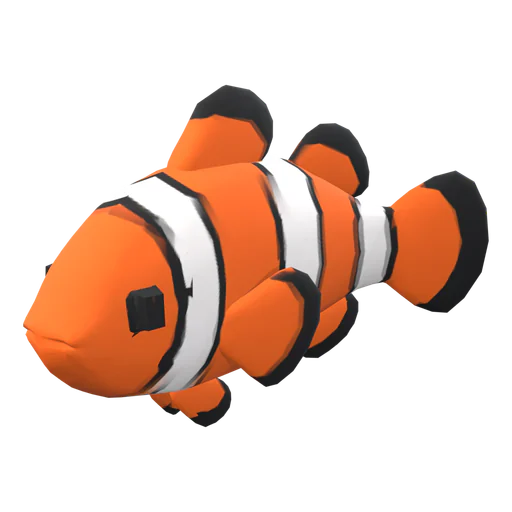
Pet simulator art on a budget: AI vs hiring a 3D artist vs asset packs
Rough costs, time and quality of each option, plus the license rules that catch new devs out.
7 min readUpdated October 31, 2026Read