
Comparison
Roblox Cube vs AI 3D generators for game assets (2026)
Roblox's free Cube generation in Studio compared with Meshy, Tripo and Proppo: quality, control, triangle budgets, textures, rigging and when to use both.
Updated 7 min readBy the Proppo team
On this page
Quick answer
Roblox Cube is free and built into Studio's Assistant, so it is the quickest way to generate static props and placeholders right in your place. Outside AI 3D generators such as Meshy, Tripo and Proppo give more control over input, triangle count and textures, and add rigging and rarity variants, which Cube's docs don't cover. Many teams use both.
Key takeaways
- Roblox Cube is free, built into Studio's Assistant and the fastest way to get props and placeholders into a place.
- Cube's Studio mesh generation has an optional triangle cap with a default of 10,000, and a text prompt can become a model of up to 8 parts.
- Outside generators give more control over input, polycount and textures, and several of them add auto-rigging.
- As of October 2026, Roblox's docs for Assistant mesh generation don't mention rigging, so pets that walk, swim or fly still need another tool.
- Using both is normal: Cube for the world, a dedicated tool for the creatures players collect.
Roblox now ships its own AI 3D generator. Type a prompt into Studio's Assistant and a textured mesh appears in your place, powered by Cube, Roblox's 3D foundation model. So why would anyone still use an outside generator? Because the two are good at different jobs. This guide compares them fairly and shows a workflow that uses both.
What is Roblox Cube?
Cube is Roblox's own 3D foundation model. It powers mesh generation in Studio's Assistant and, through GenerationService, objects that players generate inside an experience.
Roblox released Cube in March 2025 (DevForum announcement) and open-sourced it on GitHub. Since February 2026 GenerationService includes a beta of what Roblox calls 4D generation: multi-part objects with working scripts, such as a car players can drive. Roblox has said there is no cost for using its mesh generation, with usage limits.
How do you generate a mesh with Cube in Roblox Studio?
Type /generate in the Assistant with a text prompt or a reference image, optionally set a maximum triangle count, and the textured mesh appears in your place. Select a Part first and the mesh is sized to fit it.
According to Roblox's Assistant docs, mesh generation in Studio works like this:
- Use the /generate command with a text prompt, or give it a reference image. One or the other, not both in the same request.
- Set an optional maximum triangle count. The default is 10,000; lower values give more faceted, low-poly results.
- Select a Part first and the mesh is generated to fit inside it, which makes sizing easy.
- Text prompts can be split into a model of up to 8 parts. A separate command for splitting imported meshes is in early preview.
The result is a textured mesh that is already in your place: no export, no import, no scale to fix. For in-game generation, the GenerateModelAsync API (model generation docs) takes a text prompt or an image, an optional triangle cap and a size, with rate limits that started at 10 requests per minute per experience. Roblox's February 2026 post said those generations don't yet persist between sessions.
Where it stops: as of October 2026, Roblox's docs for Assistant mesh generation don't mention rigging or animation. You get a static mesh. Roblox's other avatar tools target humanoid characters, not dragons or jellyfish.
What do outside generators like Meshy, Tripo and Proppo add?
More control over the input (several views, your own concept art), the polycount and the textures, plus auto-rigging. The trade-off is an export and an import step.
Meshy
A broad, general-purpose generator: text, image and multi-view to 3D, AI texturing, and a remesh step whose API accepts a target polycount from 100 up to 300,000 faces. It can add PBR maps (metallic, roughness, normal) next to the base color. Its auto-rig supports humanoids and four-legged characters, which come with a walk; a beta Smart Rig handles other creatures but, per Meshy's docs, can't use the animation library and downloads as GLB only. Meshy's Bridge to Roblox (Pro plan and up) sends models to your Roblox inventory.
Tripo
Fast generation with a Smart Low Poly option aimed at light meshes, plus auto-rigging. Partner documentation describes newer rig versions covering quadrupeds, birds, serpents and sea creatures as well as bipeds. We couldn't check Tripo's own site for this guide, so confirm the details there.
Proppo
Narrower on purpose: Roblox pets, eggs and props. The model is generated with AI, then our pipeline adds a triangle budget per asset type (for example 4,000 for a pet), stud scale, a bottom-center pivot, an auto-rig with templates for legs, wings, fins and tentacles (10 credits), and rarity sets on the same mesh (5 credits). Models go into Studio through Studio's importer.
How do Roblox Cube and outside AI generators compare?
Cube wins on price and convenience; outside tools win on control, rigging and rarity variants. Roblox's limit of 20,000 triangles per mesh applies to both.
Price
- Cube in Studio
- Free, with usage limits
- External generators
- Free tiers, then credit plans (Proppo: 60 credits at sign-up)
Where it runs
- Cube in Studio
- Inside Studio, and in-game through GenerationService
- External generators
- In a web app; you export and import
Input
- Cube in Studio
- Text or one image
- External generators
- Text, an image, and in several tools multiple views
Triangle control
- Cube in Studio
- Max triangle setting (default 10,000)
- External generators
- Target polycount or low-poly modes; per-type budgets in Roblox-focused tools
Textures
- Cube in Studio
- Textured mesh
- External generators
- Base color plus optional PBR maps, retexturing
Rigging and animation
- Cube in Studio
- Not in the docs
- External generators
- Auto-rigs; body types and clips differ per tool
Rarity variants
- Cube in Studio
- Generate again, or recolor by hand
- External generators
- Retexture, or recolor sets on the same mesh
Getting into Studio
- Cube in Studio
- Already there
- External generators
- 3D Importer, or Meshy's Bridge to Roblox
As of October 2026, from Roblox's Creator Hub docs and each tool's documentation. Roblox's hard limit is 20,000 triangles per mesh either way.
Which gives better quality and triangle control?
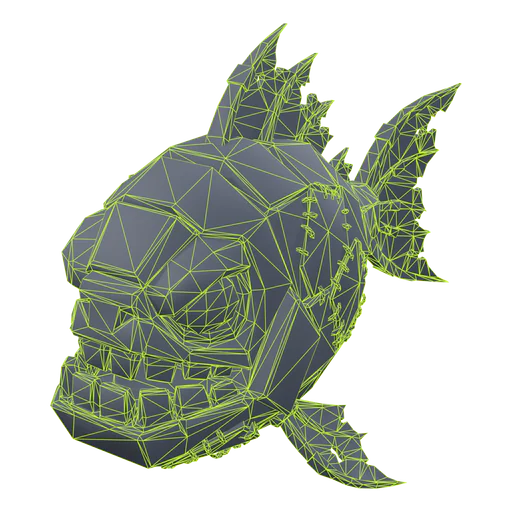
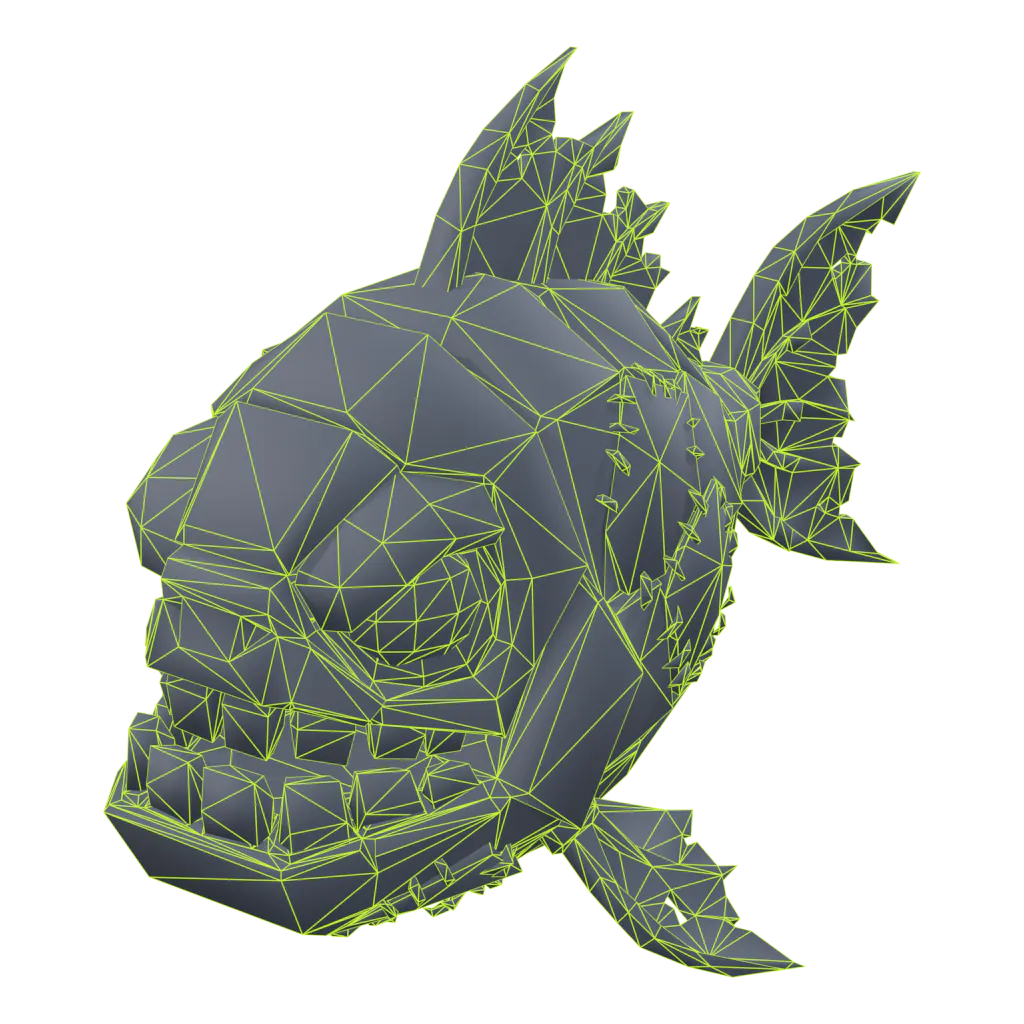
Neither wins every time, because both sides update their models often. Test the same prompt in Cube and one outside tool, and judge it from your game's camera.
Look at the results from the game camera, not in a close-up. Simulator pets are seen small, so a clean silhouette and readable colors matter more than fine detail.
Control is where the tools differ most. Image-to-3D from your own concept art keeps a set of pets in one style; both Cube and the outside tools accept an image, and some outside tools also accept side and back views. For budgets, set Cube's triangle cap well below its default for anything that appears many times. Pets in groups are happier around 2,000 to 4,000 triangles, as our guide to triangle and texture limits explains.
How do you use Cube and an AI generator together?
Block out the world and prototype with Cube, then replace the pets players collect with rigged models from a dedicated tool once the game loop works.
- Block out the world with Cube. Rocks, crates, signs and decorations, generated in place and sized to a Part.
- Prototype pets with Cube too. Static placeholders are enough to test your egg loop and pet following.
- Replace the collectibles. Once the game feels right, make the pets players chase with image-to-3D from consistent concept art, rig the ones that need to move and make the rarity versions from the same mesh.
- Keep what works. Plenty of Cube props can stay for good. Use your time where players look.
For the rigging and animation side, see how to animate a pet in Roblox. For more tools, our overview of AI 3D tools for Roblox also covers Rodin and 3D AI Studio.
Should you use Roblox Cube or an outside AI generator?
Cube for props, decoration and anything players generate in-game; an outside generator for characters and detailed props; a pet-focused tool for rigged pets, eggs and rarity sets.
- Props, terrain decoration, quick placeholders: Cube. It is free and already in Studio.
- Player-generated objects in your game: Cube through GenerationService; outside tools don't run in-game.
- General characters and detailed props: Meshy or Tripo. Try the same prompt in both.
- Pets and eggs with rigs and rarity sets: that is the job Proppo was built for.
Frequently asked questions
Is Roblox Cube free to use?
Can Roblox Cube make rigged or animated pets?
Can I control the triangle count in Roblox Cube?
Should I use Cube or an outside AI generator?
Use Cube for the world, this for the pets
Upload a drawing or describe a pet. Proppo makes a textured model at a Roblox triangle budget, rigs it and makes the rarity set.
60 free credits when you confirm your email. No card needed.
Related guides
All guides Tutorial
Tutorial
How to make an AI 3D model work in Roblox (Meshy, Tripo, Blender)
Why raw AI meshes fail in Roblox, and the Blender steps that fix triangles, textures, scale, pivot and rigs.
9 min readUpdated October 31, 2026Read
 Comparison
Comparison
Best AI 3D tools for Roblox pets & props (2026)
A ranked table of Proppo, Meshy, Nilo, Tripo, Roblox Cube, UEFN Central, Rodin and 3D AI Studio for pets, eggs and props.
6 min readUpdated October 31, 2026Read
 Tutorial
Tutorial
How to animate a pet in Roblox (idle, walk, fly)
Bones and weights, looping clips, the import and publish steps, and a script that switches idle to walk.
7 min readUpdated October 31, 2026Read
 Reference
Reference
Roblox triangle and texture limits for mobile-friendly pets
The hard limits, the budgets pet games actually use, and how to hit them without losing the silhouette.
5 min readUpdated October 31, 2026Read