
Tutorial
How to make an egg hatching system in Roblox (Luau)
Build a Roblox egg hatching system in Luau: egg data with weights, a server roll with currency checks, DataStore saving, hatch animation and odds display.
Updated 10 min readBy the Proppo team
On this page
Quick answer
Keep egg data with drop weights in a ModuleScript, let the client ask a server RemoteFunction to hatch, and have the server check price, cooldown and distance, take the currency, roll a weighted random pet and save it to a DataStore. The client only plays the shake, crack and reveal animation, and paid eggs must show their odds.
Key takeaways
- An egg hatching system has four parts: egg data with drop weights, a server roll, saved inventories and a client animation.
- The roll must happen on the server: the client only asks to hatch and plays the animation for the pet the server picked.
- Weighted random picks are one loop: roll Random.new():NextNumber(0, totalWeight) and walk the running total until it passes the roll.
- Save coins and pets with DataStoreService inside pcall, on PlayerRemoving and in game:BindToClose.
- If eggs cost Robux or a currency bought with Robux, Roblox requires every pet's odds as percentages before purchase.
Hatching an egg is the moment a pet simulator is built around: pay coins, watch the egg shake and crack, find out what you got. This tutorial builds the full system in Luau, from the egg data to the saved inventory and the reveal animation, including triple hatch, auto hatch and the odds display Roblox asks for. The scripts are free to use. API and policy details are checked against the Roblox Creator Hub as of October 2026.
How does an egg hatching system work in Roblox?
The client asks the server to hatch an egg; the server checks the price, takes the currency, rolls a pet from the egg's weighted table, saves it and sends the result back; the client then plays the animation for that result.
EggConfig (ModuleScript)
- Where it runs
- ReplicatedStorage
- Job
- Prices, pets and drop weights, shared by server and client
HatchService (Script)
- Where it runs
- ServerScriptService
- Job
- Validation, currency, weighted roll, inventory
HatchEgg (RemoteFunction)
- Where it runs
- ReplicatedStorage
- Job
- Client asks, server answers with the hatched pets
DataStore
- Where it runs
- Roblox servers
- Job
- Coins and pets between sessions
HatchClient (LocalScript)
- Where it runs
- Each player's device
- Job
- Shake, crack and reveal animation
Step 1: Define eggs in a ModuleScript
Store each egg as data: price, currency and the pets with a drop weight each. Weights are easier to edit than percentages, because adding a pet doesn't force you to rebalance the rest.
-- ModuleScript: ReplicatedStorage > EggConfig
-- One source of truth for the server roll AND the odds the client shows.
local EggConfig = {}

EggConfig.Eggs = {
	StarterEgg = {
		price = 100,
		currency = "Coins",
		pets = {
			{ name = "Puffer", rarity = "Common", weight = 60 },
			{ name = "Clownfish", rarity = "Rare", weight = 30 },
			{ name = "GhostJelly", rarity = "Epic", weight = 9 },
			{ name = "BatRay", rarity = "Legendary", weight = 1 },
		},
	},
}

-- Weights -> percentages for the egg stand UI (they always sum to 100)
function EggConfig.getOdds(eggName: string)
	local egg = EggConfig.Eggs[eggName]
	local total = 0
	for _, pet in egg.pets do
		total += pet.weight
	end
	local odds = {}
	for _, pet in egg.pets do
		table.insert(odds, { name = pet.name, rarity = pet.rarity, percent = pet.weight / total * 100 })
	end
	return odds
end

return EggConfig| Pet | Rarity | Weight | Chance |
|---|---|---|---|
| Puffer | Common | 60 | 60% |
| Clownfish | Rare | 30 | 30% |
| GhostJelly | Epic | 9 | 9% |
| BatRay | Legendary | 1 | 1% |
Example weights (total 100). Chance = weight ÷ total. Pick your own numbers with the rarity table guide.
How rare each rarity tier should be, and how many hatches a legendary takes on average, is a design question of its own; the egg rarity tables guide works through the math.
Step 2: Hatch on the server
This Script creates the HatchEgg RemoteFunction, loads and saves player data (step 3) and handles every hatch request. Egg stands are models in a workspace.Eggs folder named like the egg.
-- Script: ServerScriptService > HatchService
local Players = game:GetService("Players")
local ReplicatedStorage = game:GetService("ReplicatedStorage")
local DataStoreService = game:GetService("DataStoreService")
local MarketplaceService = game:GetService("MarketplaceService")
local HttpService = game:GetService("HttpService")

local EggConfig = require(ReplicatedStorage:WaitForChild("EggConfig"))
local store = DataStoreService:GetDataStore("PlayerData_v1")

local hatchRemote = Instance.new("RemoteFunction")
hatchRemote.Name = "HatchEgg"
hatchRemote.Parent = ReplicatedStorage

local TRIPLE_HATCH_PASS = 0 -- your game pass ID
local MAX_PETS = 200
local COOLDOWN = 1 -- seconds between hatches per player
local MAX_DISTANCE = 15 -- studs from the egg stand

local rng = Random.new()
local sessions = {} -- [Player] = { coins, pets }
local lastHatch = {} -- [Player] = os.clock()
local hasTriple = {} -- [Player] = boolean

local function rollPet(egg)
	local total = 0
	for _, pet in egg.pets do
		total += pet.weight
	end
	local roll = rng:NextNumber(0, total)
	local running = 0
	for _, pet in egg.pets do
		running += pet.weight
		if roll < running then
			return pet
		end
	end
	return egg.pets[#egg.pets] -- roll == total (edge case)
end

local function load(player: Player)
	local ok, data = pcall(function()
		return store:GetAsync(tostring(player.UserId))
	end)
	if not ok then
		player:Kick("Could not load your data. Please rejoin.")
		return
	end
	sessions[player] = data or { coins = 500, pets = {} }
	player:SetAttribute("Coins", sessions[player].coins)

	local passOk, owns = pcall(function()
		return MarketplaceService:UserOwnsGamePassAsync(player.UserId, TRIPLE_HATCH_PASS)
	end)
	hasTriple[player] = passOk and owns
end

local function save(player: Player)
	local data = sessions[player]
	if not data then
		return
	end
	local ok, err = pcall(function()
		store:UpdateAsync(tostring(player.UserId), function()
			return data
		end)
	end)
	if not ok then
		warn("Save failed for", player.UserId, err)
	end
end

hatchRemote.OnServerInvoke = function(player: Player, eggName: unknown, count: unknown)
	local data = sessions[player]
	local egg = if typeof(eggName) == "string" then EggConfig.Eggs[eggName] else nil
	if not data or not egg then
		return { ok = false, reason = "Unknown egg" }
	end
	if count ~= 1 and count ~= 3 then
		return { ok = false, reason = "Bad count" }
	end
	if count == 3 and not hasTriple[player] then
		return { ok = false, reason = "Triple hatch needs the game pass" }
	end

	local now = os.clock()
	if lastHatch[player] and now - lastHatch[player] < COOLDOWN then
		return { ok = false, reason = "Too fast" }
	end

	local stand = workspace:FindFirstChild("Eggs") and workspace.Eggs:FindFirstChild(eggName)
	local root = player.Character and player.Character:FindFirstChild("HumanoidRootPart")
	if not stand or not root or (root.Position - stand:GetPivot().Position).Magnitude > MAX_DISTANCE then
		return { ok = false, reason = "Too far from the egg" }
	end

	local cost = egg.price * count
	if data.coins < cost then
		return { ok = false, reason = "Not enough coins" }
	end
	if #data.pets + count > MAX_PETS then
		return { ok = false, reason = "Inventory full" }
	end

	lastHatch[player] = now
	data.coins -= cost
	local results = {}
	for _ = 1, count do
		local pet = rollPet(egg)
		local entry = { id = HttpService:GenerateGUID(false), name = pet.name, rarity = pet.rarity }
		table.insert(data.pets, entry)
		table.insert(results, entry)
	end
	player:SetAttribute("Coins", data.coins)
	return { ok = true, pets = results }
end

Players.PlayerAdded:Connect(load)
for _, player in Players:GetPlayers() do
	task.spawn(load, player)
end

Players.PlayerRemoving:Connect(function(player)
	save(player)
	sessions[player] = nil
	lastHatch[player] = nil
	hasTriple[player] = nil
end)

game:BindToClose(function()
	for _, player in Players:GetPlayers() do
		save(player)
	end
end)
Every check in the handler closes a common exploit or bug:
- Type checks on
eggNameandcount: remote arguments come from the client and can be anything. - Cooldown and distance stop scripts that spam the remote from across the map.
- Currency first, then the roll, all in one handler with no yields between check and spend, so two fast requests can't both pass the coin check.
- A unique ID per pet (
HttpService:GenerateGUID) so equip, delete and trade can refer to one exact pet.
Random.new() gives the server its own random generator. The weighted roll walks a running total: with weights 60, 30, 9 and 1, a roll of 95 passes 60 and 90 and lands in the third pet's range.
Step 3: Save pets to a DataStore
The handler above keeps each player's data in a server table and saves it when they leave. Roblox's data stores guide covers the rules this follows:
- Data stores work only from server Scripts. Every call is a network request that can fail, so wrap it in
pcall. UpdateAsyncreads the current value before writing and is the safer choice when several servers could write the same key.SetAsyncis quicker but can overwrite newer data.- Studio can't reach data stores until you turn on Enable Studio Access to API Services (File > Experience Settings > Security). Use a separate test place, since Studio shares the live game's data.
game:BindToClosesaves everyone when a server shuts down, so updates and crashes don't eat the last hatches.
Step 4: Play the hatch animation
The LocalScript asks the server for a hatch and, when it succeeds, plays three beats: the egg shakes harder and harder, a white flash hides the swap, and the pet pops in with a spin. Put egg models in ReplicatedStorage > EggModels next to PetModels.
-- LocalScript: StarterPlayer > StarterPlayerScripts > HatchClient
local Players = game:GetService("Players")
local ReplicatedStorage = game:GetService("ReplicatedStorage")
local TweenService = game:GetService("TweenService")

local player = Players.LocalPlayer
local hatchRemote = ReplicatedStorage:WaitForChild("HatchEgg")
local EggModels = ReplicatedStorage:WaitForChild("EggModels")
local PetModels = ReplicatedStorage:WaitForChild("PetModels")

local gui = Instance.new("ScreenGui")
gui.IgnoreGuiInset = true
gui.ResetOnSpawn = false
gui.Parent = player:WaitForChild("PlayerGui")

local flash = Instance.new("Frame")
flash.Size = UDim2.fromScale(1, 1)
flash.BackgroundColor3 = Color3.new(1, 1, 1)
flash.BackgroundTransparency = 1
flash.Parent = gui

local busy = false

local function localCopy(template: Model): Model
	local model = template:Clone()
	for _, part in model:GetDescendants() do
		if part:IsA("BasePart") then
			part.Anchored = true
			part.CanCollide = false
		end
	end
	model.Parent = workspace
	return model
end

-- Slot i of n: a row in front of the camera, turned to face it
local function slot(i: number, n: number): CFrame
	local x = (i - (n + 1) / 2) * 4
	return workspace.CurrentCamera.CFrame * CFrame.new(x, -1, -8) * CFrame.Angles(0, math.pi, 0)
end

local function playHatch(eggName: string, pets)
	local n = #pets
	local eggs = {}
	for i = 1, n do
		eggs[i] = localCopy(EggModels[eggName])
	end

	-- 1. shake: wobble grows for 1.5 seconds
	local elapsed = 0
	while elapsed < 1.5 do
		local strength = math.rad(4 + elapsed * 12)
		for i, egg in eggs do
			egg:PivotTo(slot(i, n) * CFrame.Angles(0, 0, math.sin(elapsed * 30) * strength))
		end
		elapsed += task.wait()
	end

	-- 2. crack: white flash, eggs vanish
	local flashIn = TweenService:Create(flash, TweenInfo.new(0.15), { BackgroundTransparency = 0 })
	flashIn:Play()
	flashIn.Completed:Wait()
	for _, egg in eggs do
		egg:Destroy()
	end

	-- 3. reveal: pets pop in with a spin, flash fades out
	local shown = {}
	local grow = Instance.new("NumberValue")
	for i, entry in pets do
		shown[i] = localCopy(PetModels[entry.name])
		shown[i]:ScaleTo(0.01)
		shown[i]:PivotTo(slot(i, n))
	end
	grow.Changed:Connect(function(t)
		for i, pet in shown do
			pet:ScaleTo(math.max(t, 0.01))
			pet:PivotTo(slot(i, n) * CFrame.Angles(0, (1 - t) * math.pi * 2, 0))
		end
	end)
	TweenService:Create(flash, TweenInfo.new(0.4), { BackgroundTransparency = 1 }):Play()
	local pop = TweenService:Create(grow, TweenInfo.new(0.6, Enum.EasingStyle.Back, Enum.EasingDirection.Out), { Value = 1 })
	pop:Play()
	pop.Completed:Wait()

	task.wait(1.5) -- show the name and rarity in your UI here
	for _, pet in shown do
		pet:Destroy()
	end
	grow:Destroy()
end

local function hatch(eggName: string, count: number): boolean
	if busy then
		return false
	end
	busy = true
	local result = hatchRemote:InvokeServer(eggName, count)
	if result.ok then
		playHatch(eggName, result.pets)
	else
		warn(result.reason) -- show it in your UI
	end
	busy = false
	return result.ok
end

-- Wire this to your egg stand: a ProximityPrompt or a "Hatch" / "Hatch 3" button
-- hatch("StarterEgg", 1)

-- Auto hatch: repeat single hatches until the player turns it off or a hatch fails
local autoHatching = false
local function setAutoHatch(on: boolean, eggName: string)
	autoHatching = on
	while autoHatching and hatch(eggName, 1) do
		task.wait(0.2)
	end
	autoHatching = false
end- TweenService tweens properties, not whole models, so the reveal tweens a
NumberValuefrom 0 to 1 and applies it to each pet withModel:ScaleToandPivotTo. The Back easing style gives the small overshoot that reads as a pop. - The models are created by the LocalScript, so only this player sees them. Add a sound and particles on the crack beat, and make legendary and mythic reveals longer or louder than commons.
- The client never decides the pet: it only animates what the server returned, so the animation can be skipped or sped up without any risk.
Step 5: Add triple and auto hatch
Triple hatch is the same request with count = 3. The server accepts it only for owners of the game pass, checked with MarketplaceService:UserOwnsGamePassAsync when the player joins, and charges three times the price. The client lays the three eggs out in a row with the slot(i, n) helper.
Auto hatch can stay on the client: setAutoHatch(true, "StarterEgg") repeats single hatches until the player turns it off or a hatch fails (no coins, inventory full, walked away). The server cooldown caps the speed no matter what the client does. If you sell auto hatch as a game pass, check ownership on the server the same way.
Step 6: Show the odds before purchase
Draw the egg's pets and their percentages from EggConfig.getOdds on a BillboardGui above the stand, so the shown odds always match the roll.
Roblox's paid random items policy treats an egg bought with Robux, or with in-game currency that can be bought with Robux, as a paid random item. For those, you must show every possible outcome with its numerical odds as percentages that add up to 100%, before the player spends anything. Items that change the odds, such as luck potions or a pity timer, must be explained before purchase, with updated odds shown while they are active. Randomized rewards earned without paying need no disclosure, but showing odds anyway is good practice.
Some players can't use paid random items at all. Check PolicyService:GetPolicyInfoForPlayerAsync on the server: when ArePaidRandomItemsRestricted is true, offer an alternative from the policy page, such as a free way to earn the pet or a direct purchase, or block the purchase.
-- Server: check before offering eggs bought with Robux or paid currency
local PolicyService = game:GetService("PolicyService")

local function canUsePaidRandomItems(player: Player): boolean
	local ok, policy = pcall(function()
		return PolicyService:GetPolicyInfoForPlayerAsync(player)
	end)
	-- if the check fails, treat the player as restricted
	return ok and not policy.ArePaidRandomItemsRestricted
endWhy doesn't my hatching system work?
Most failures are a missing object name, a data store blocked in Studio, or a client waiting on a server error.
InvokeServer never returns
The server handler errored or yielded forever. Check the server output; every path in OnServerInvoke should return a table.
Data doesn't save in Studio
Turn on Enable Studio Access to API Services, and make sure the place is published.
The egg appears behind the camera or sideways
The egg model's front isn't -Z or its pivot isn't centered. Fix the pivot, or change the offset in slot().
Rare pets drop far too often
Weights are relative. Adding a pet with weight 50 to the example egg changes every chance. Check the percentages from getOdds after each change.
What should I build after the hatching system?
Let players equip what they hatch and have it follow them; the pet follow script reads the same pet names. Then plan zones, eggs and rebirths with the pet simulator overview.
Frequently asked questions
Should I use a RemoteFunction or a RemoteEvent for hatching?
How do I pick a random pet with weights in Luau?
Do I have to show egg odds in Roblox?
How do I save hatched pets?
How do I make a triple hatch game pass?
Make the eggs players will hatch
Describe an egg theme. Proppo builds the 3D egg at Roblox scale with an egg triangle budget, plus gold, rainbow and other variants for your rarity tiers.
60 free credits when you confirm your email. No card needed.
Related guides
All guides Game design
Game design
Pet simulator egg rarity tables: how to design them
Tiers, drop-rate math, gold and rainbow variants, pity timers and the odds rules Roblox asks for.
6 min readUpdated October 31, 2026Read
 Tutorial
Tutorial
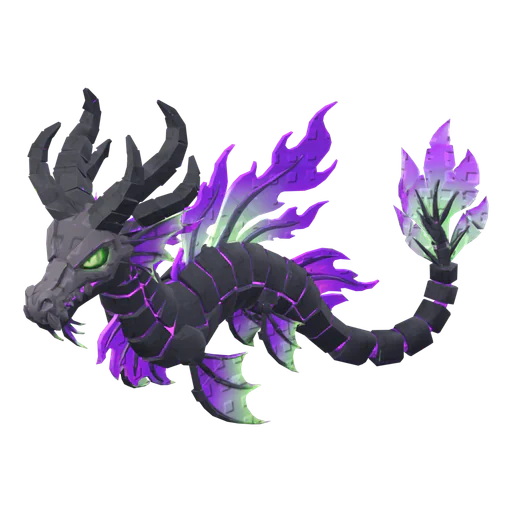
How to make a Roblox pet with AI (step by step)
Concept, 3D model, rig, rarity set and import: the whole pet pipeline in one walkthrough.
6 min readUpdated October 31, 2026Read
 Tutorial
Tutorial
How to import a 3D model into Roblox Studio (FBX, textures, rigs)
3D Importer settings that matter, rigs and animations, textures and the usual import errors.
7 min readUpdated October 31, 2026Read